Declining Prescription Requests in Fax Mode (click to view Supademo)
TABLE OF CONTENTS
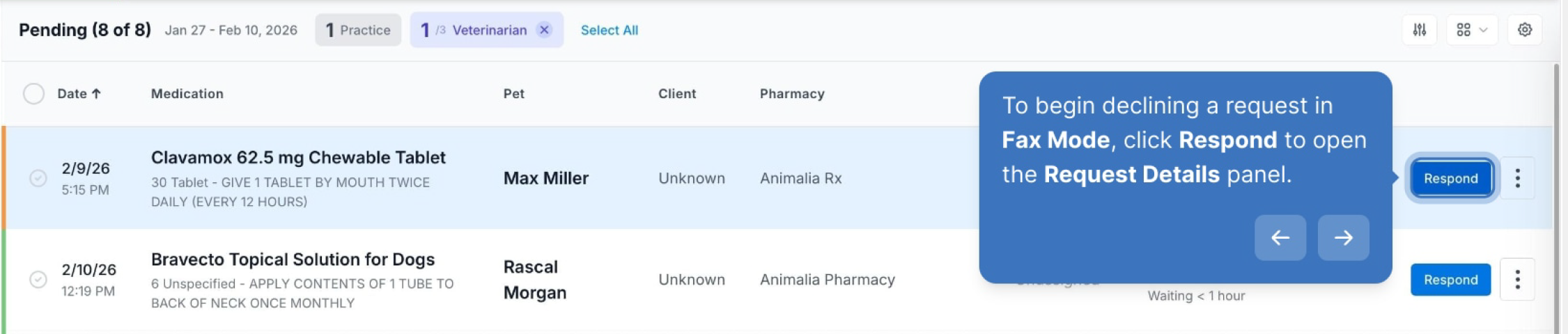
To begin declining a request in Fax Mode, click Respond to open the Request Details panel.
By default, the Request Details panel opens in Electronic Mode. However, if the system was unable to read a faxed request, it may open in Fax Mode.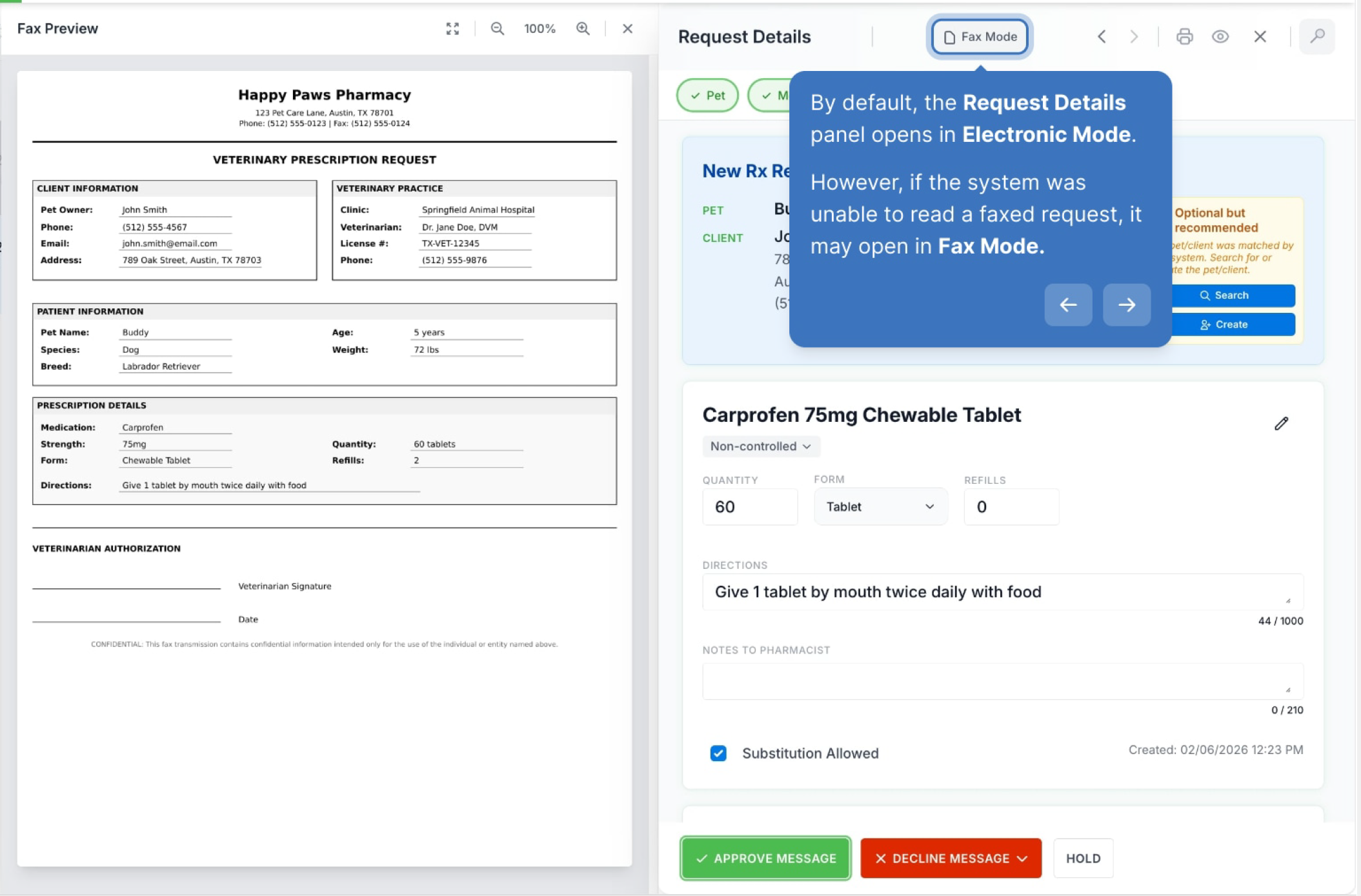
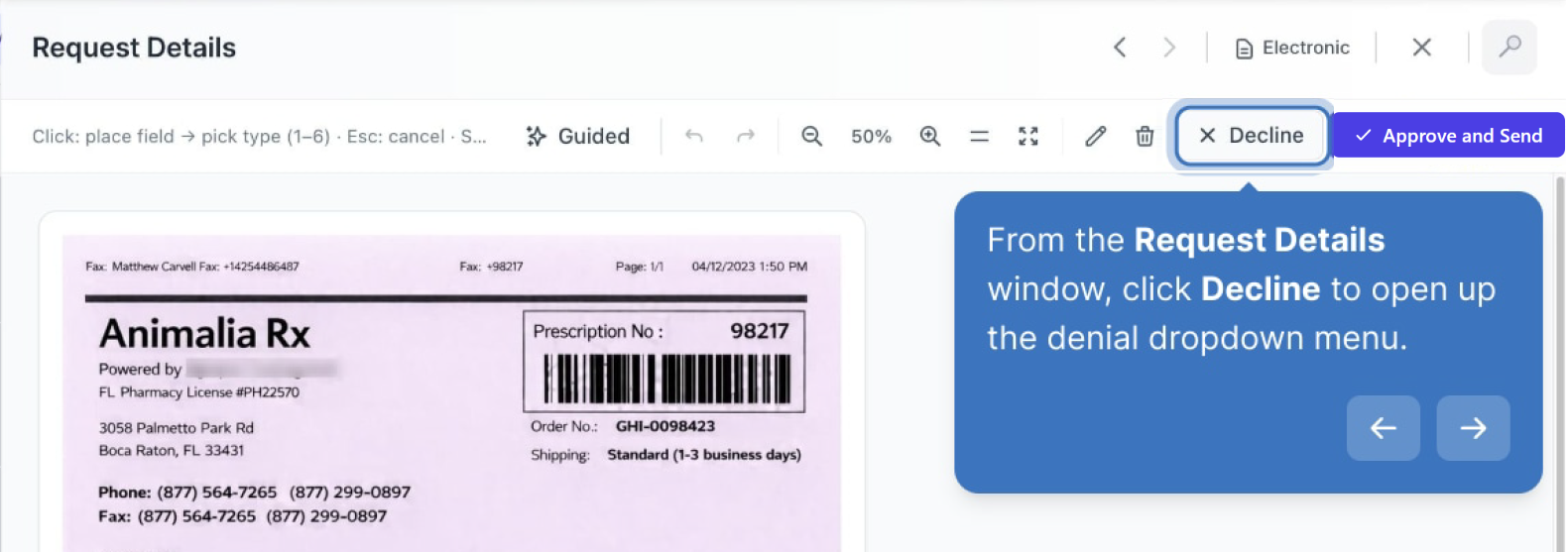
From the Request Details window, click Decline to open up the denial dropdown menu.
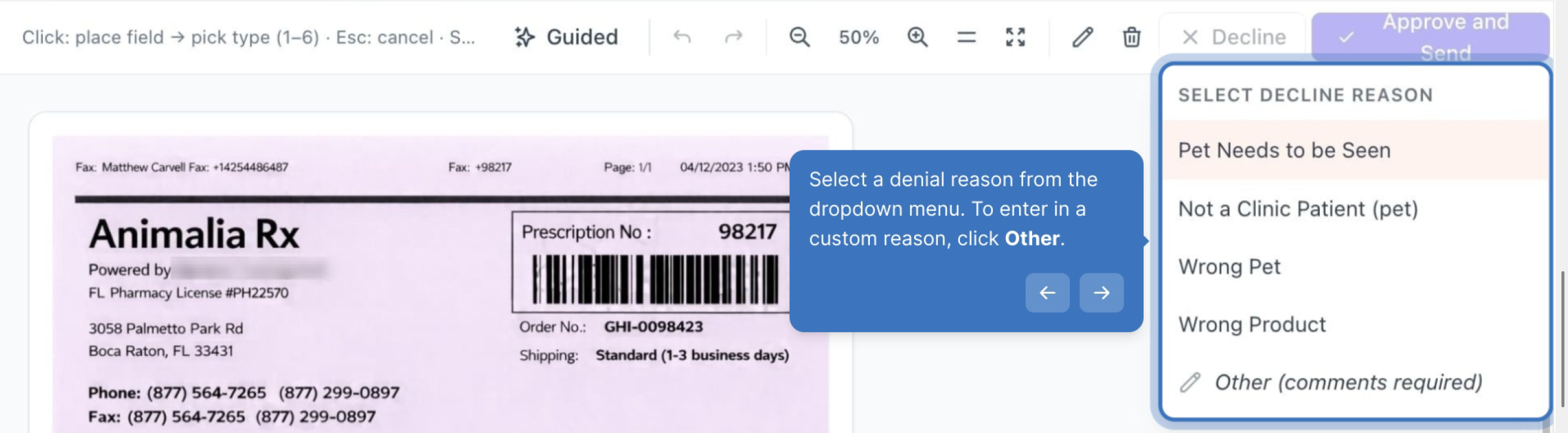
Select a denial reason from the dropdown menu. To enter in a custom reason, click Other.
Declining the fax removes any annotations made to the fax. Click Decline Fax to confirm.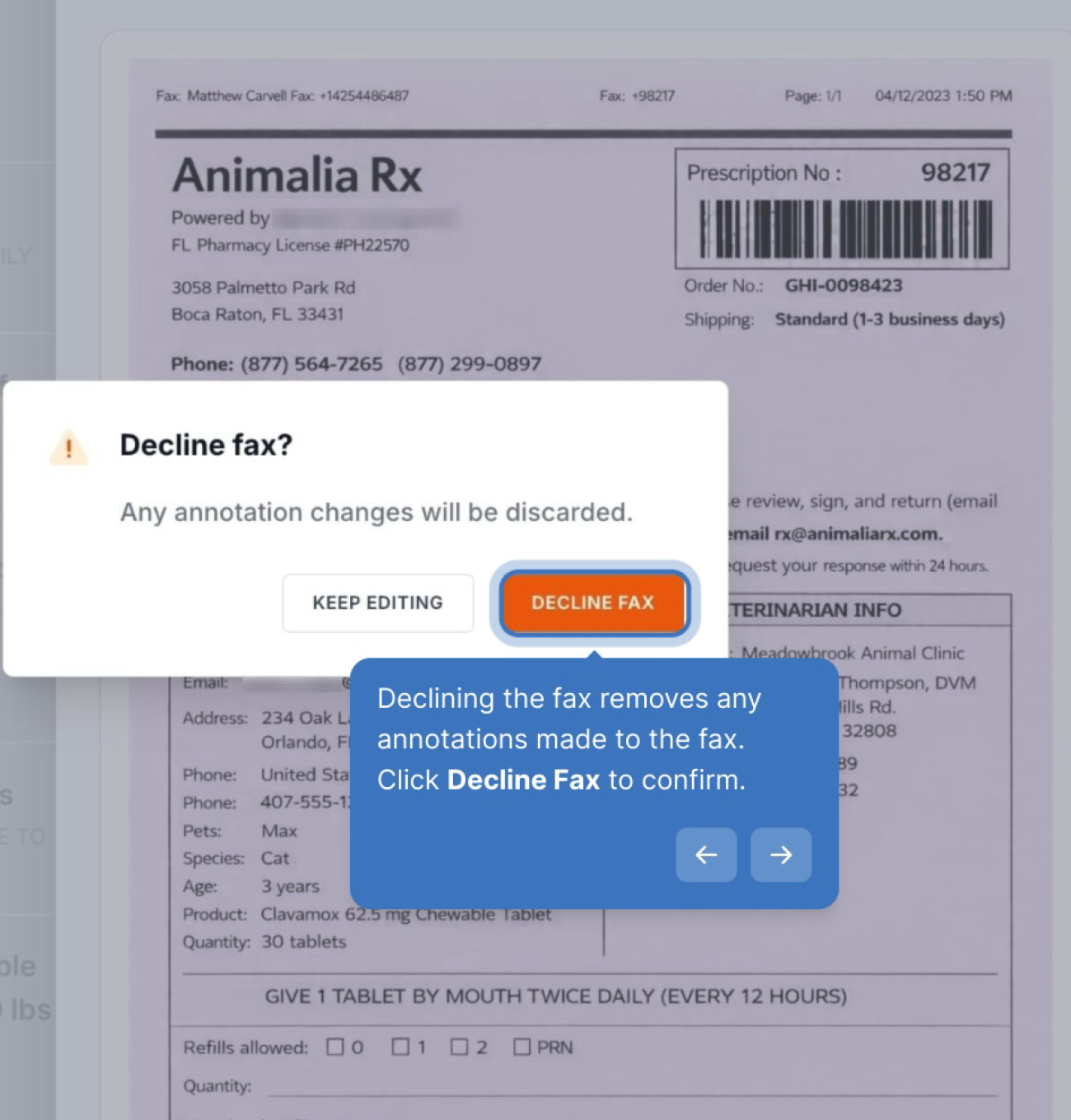
Walk-through Demo:
Explore the steps by clicking through the demo below!
Was this article helpful?
That’s Great!
Thank you for your feedback
Sorry! We couldn't be helpful
Thank you for your feedback
Feedback sent
We appreciate your effort and will try to fix the article