Set Current Veterinarian & Manage Permissions (click to view Supademo)
TABLE OF CONTENTS
- Set Current Veterinarian
- Grant Permissions
- Settings
- Remove Access for a User
- Select New Users
- Walk-through Demo
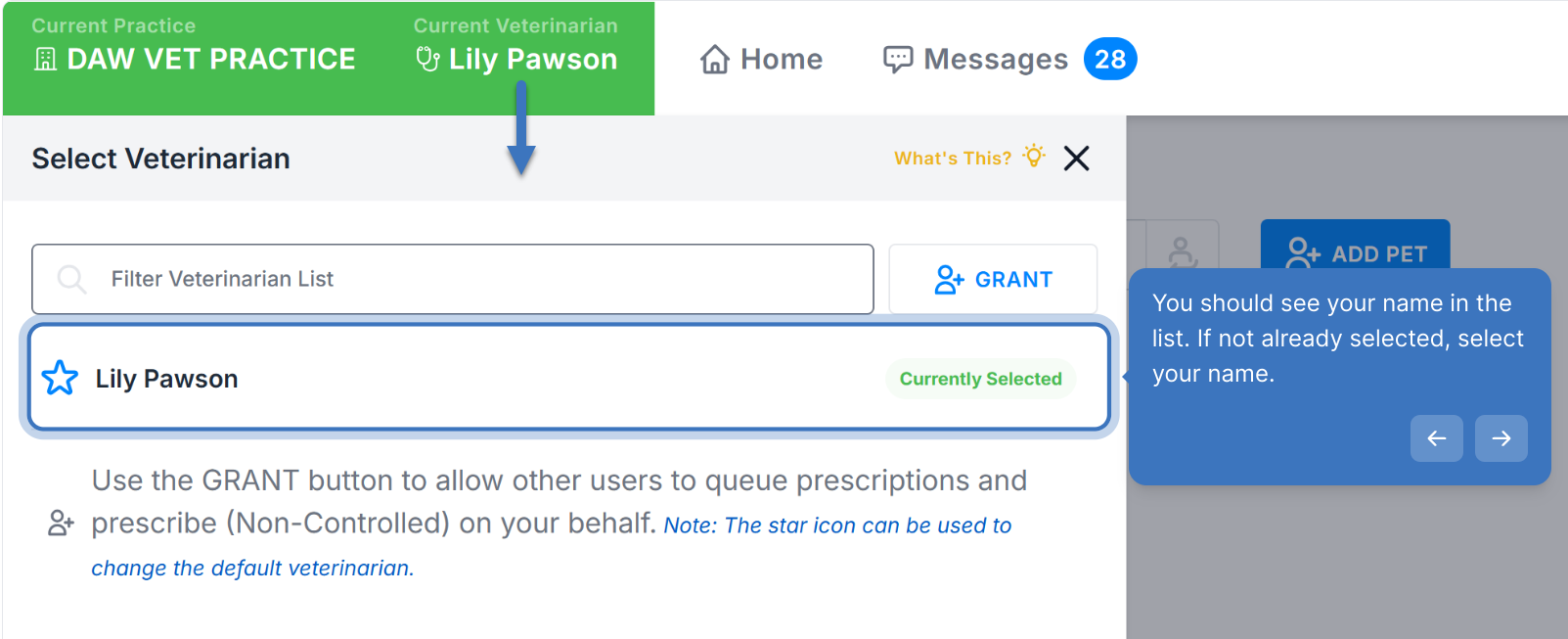
Set Current Veterinarian
Grant Permissions
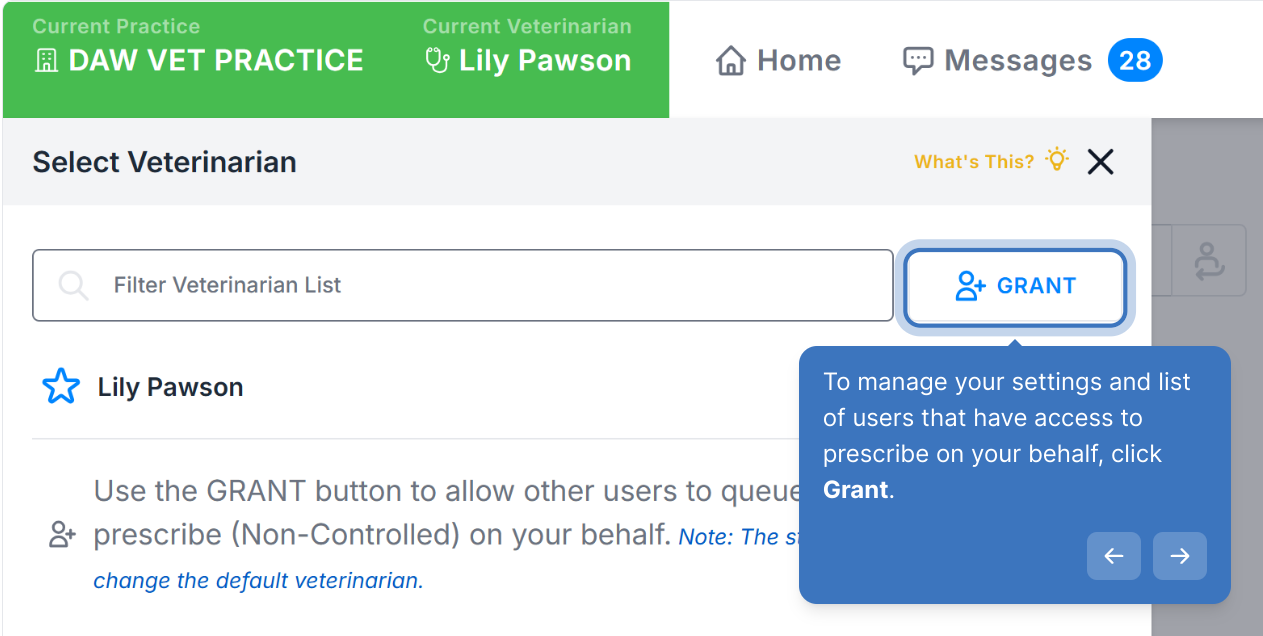
To manage your settings and list of users that have access to prescribe on your behalf, click Grant.
Settings
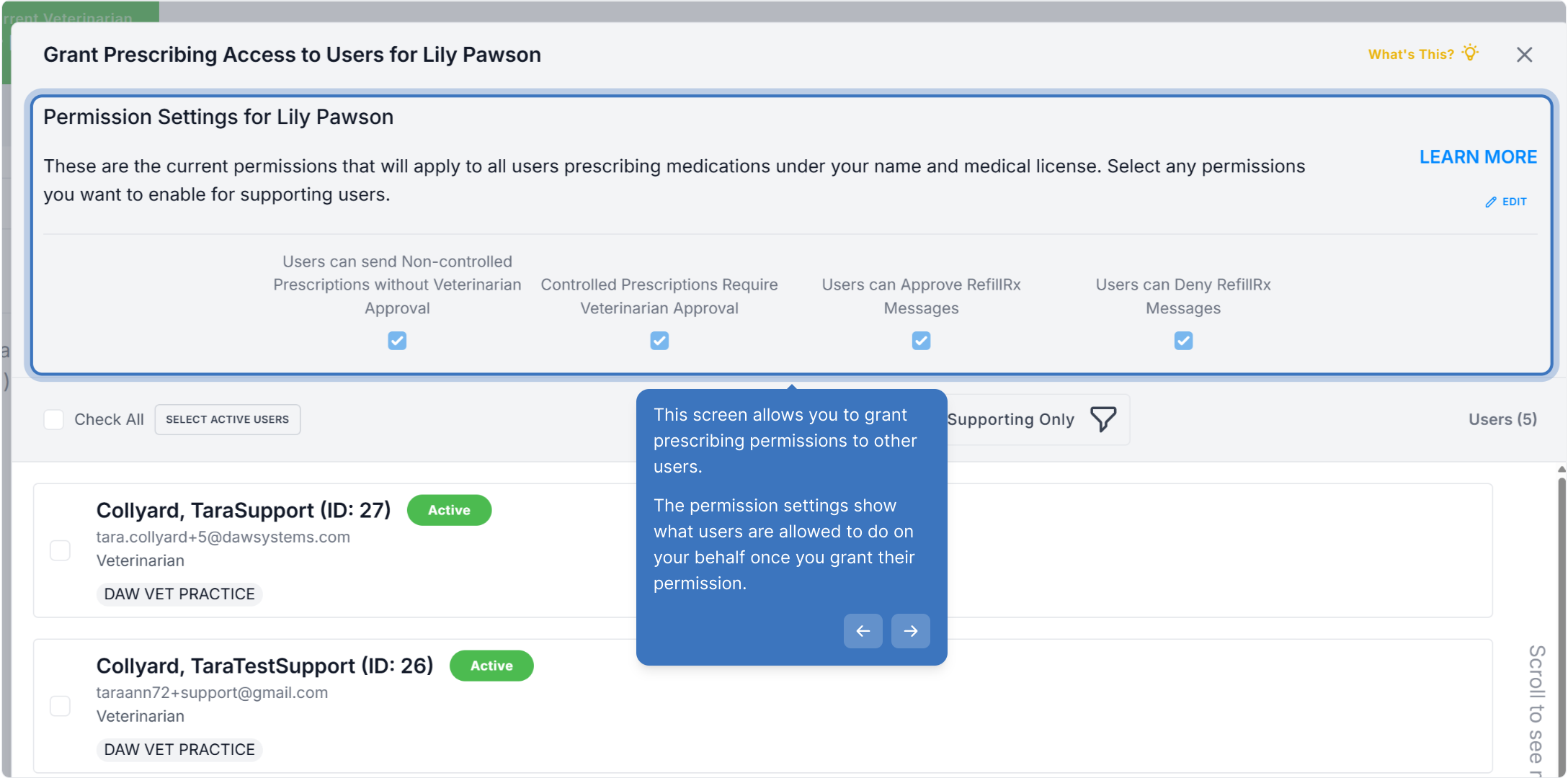
This screen allows you to grant prescribing permissions to other users.
The permission settings show what users are allowed to do on your behalf once you grant their permission.
To update your settings, click Edit.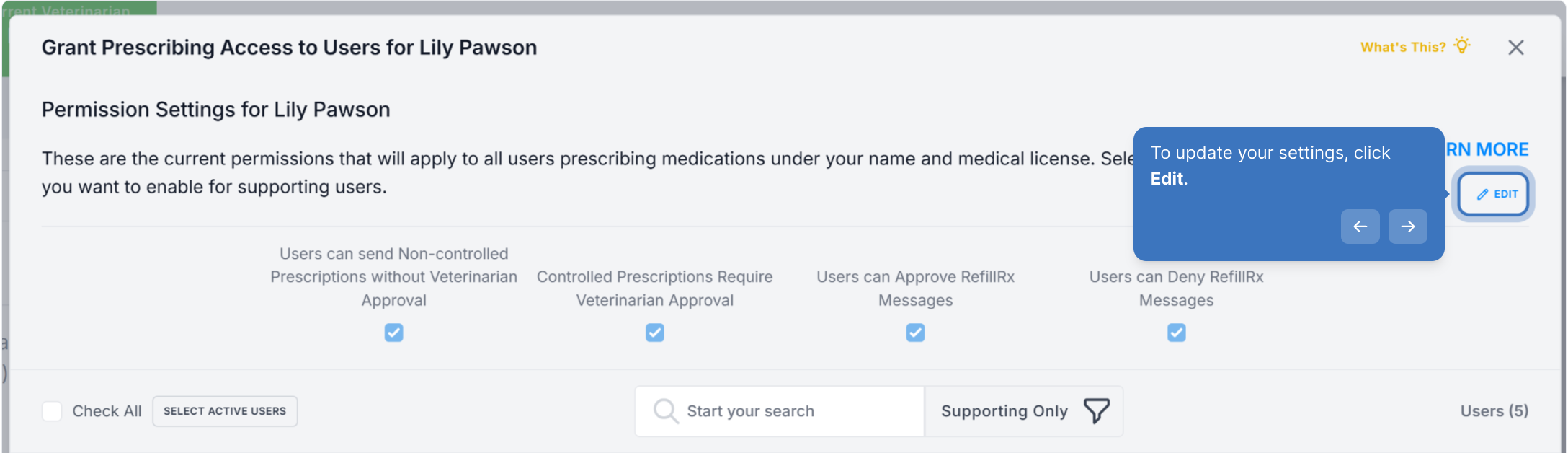
Please note that the setting for Controlled Prescriptions cannot be changed since the DEA requires all controlled prescriptions to be approved by the veterinarian.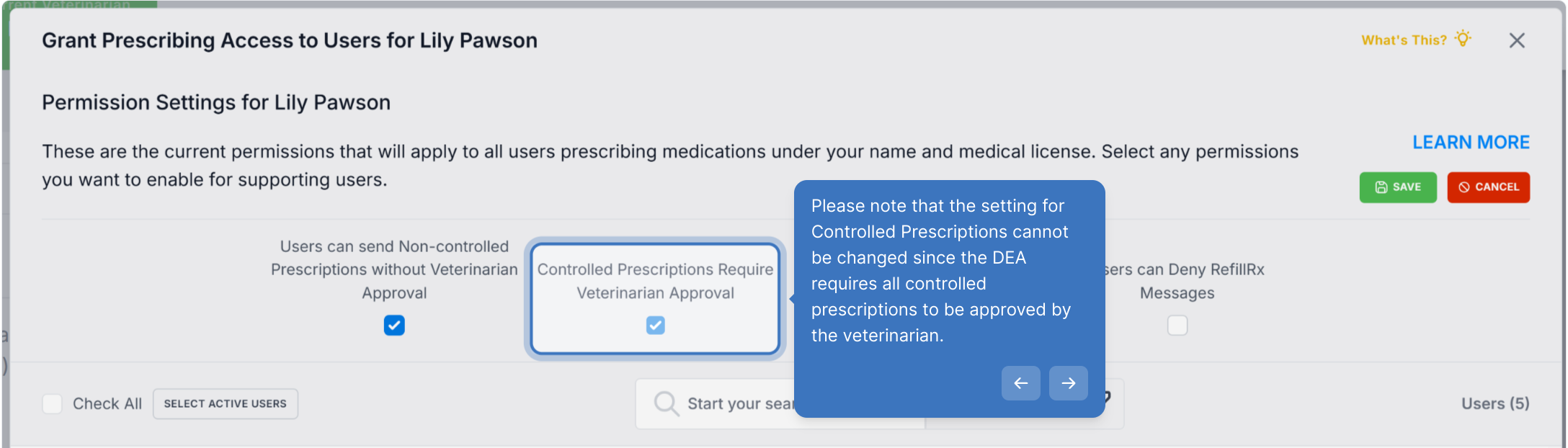
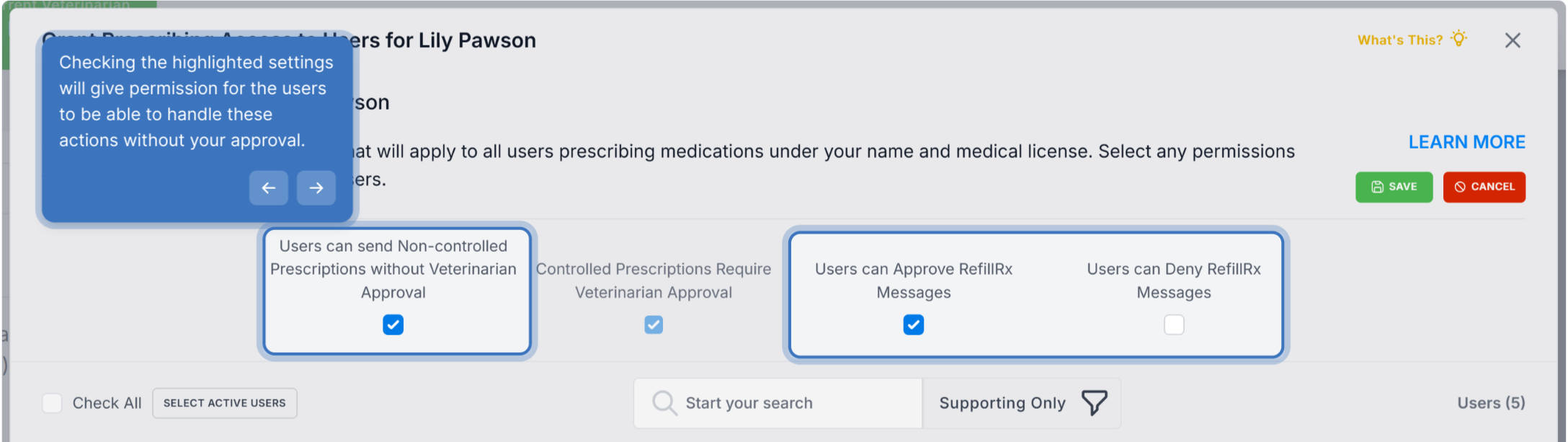
Checking the highlighted settings will give permission for the users to be able to handle these actions without your approval. If you are not registered for RefillRx, you will not see those 2 settings. RefillRx allows pharmacies to send refill requests to you in VetWay.
Remove Access for a User
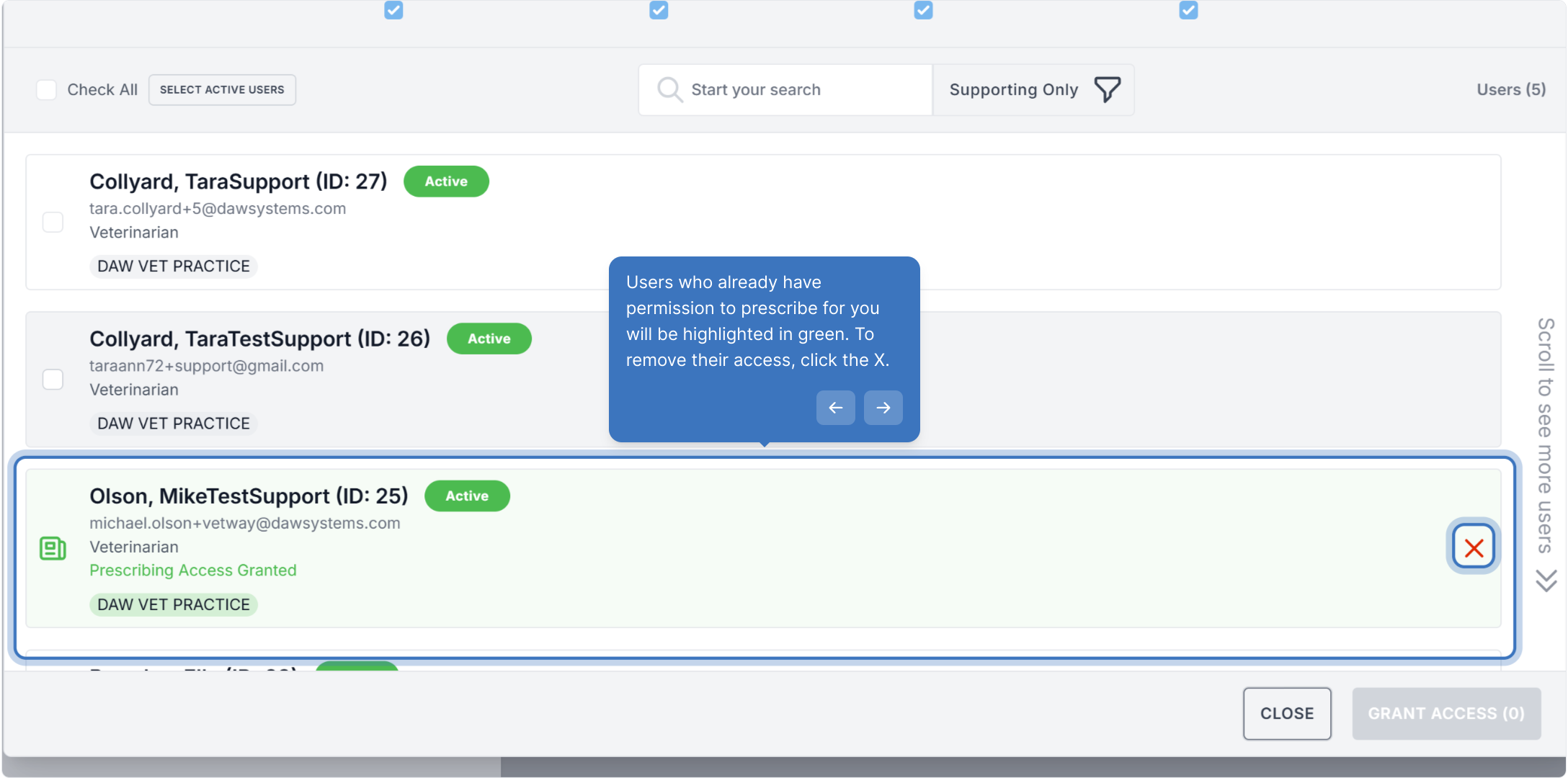
Users who already have permission to prescribe for you will be highlighted in green. To remove their access, click the X.
Select New Users
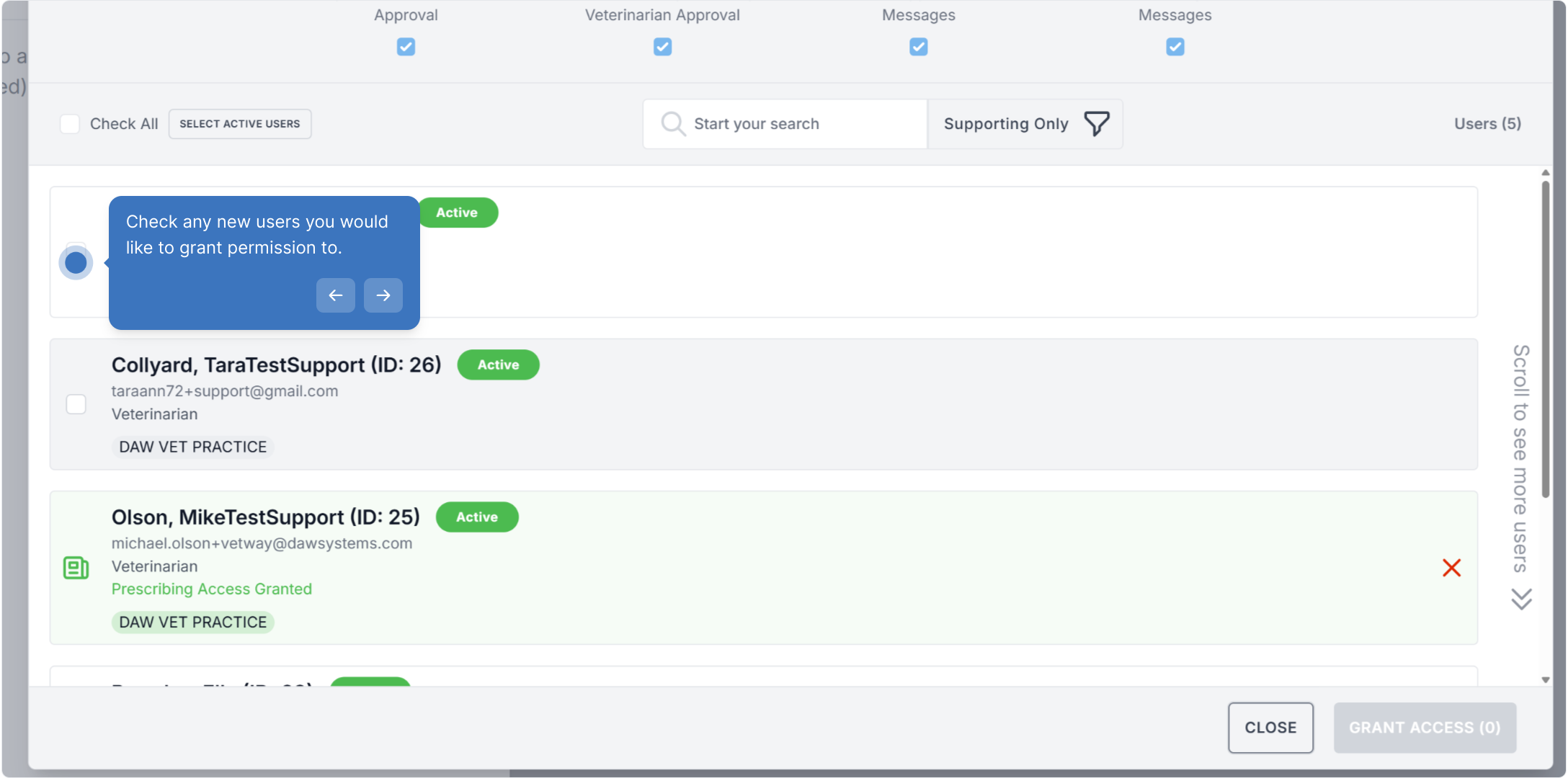
Check any new users you would like to grant permission to and click Grant Access.
Walk-through Demo
Explore the steps by clicking through the demo below!
Was this article helpful?
That’s Great!
Thank you for your feedback
Sorry! We couldn't be helpful
Thank you for your feedback
Feedback sent
We appreciate your effort and will try to fix the article